Multiple Revision Cycles
Don't just study once. Schedule Revision 1, Revision 2, and Revision 3. Each cycle is tracked independently so you can ensure full syllabus coverage.
Creating a revision timetable has never been easier. Schedule multiple revision cycles, set target days per subject, calculate buffer time, and track your chapter-by-chapter progress — completely free.
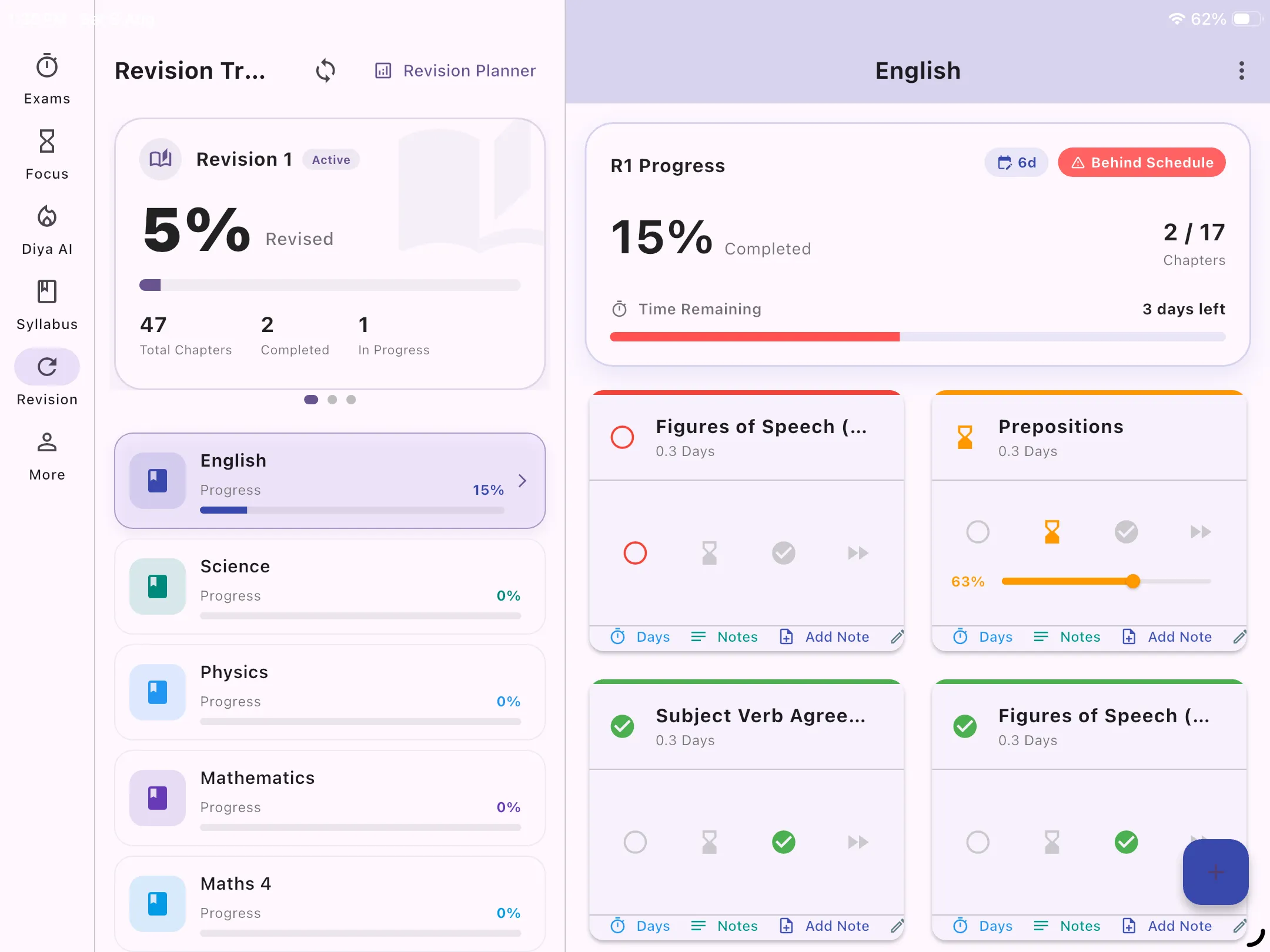
Tablet Preview: Detailed subject chapter checklist and revision status
A good revision planner ensures you never run out of time before an exam. Whether you are building a GCSE revision timetable, an A Level revision planner, or preparing for university finals, mapping out your study time is essential.
Instead of printing a blank revision timetable or revision planner template on paper that quickly becomes outdated when you fall behind, use a dynamic learning planner.
With our revision timetable app, you can configure multiple passes (Revision 1, 2, 3), track which chapters you've completed, and instantly see if you are on track or behind schedule. It's the smartest way to manage your revision timetable free of stress.
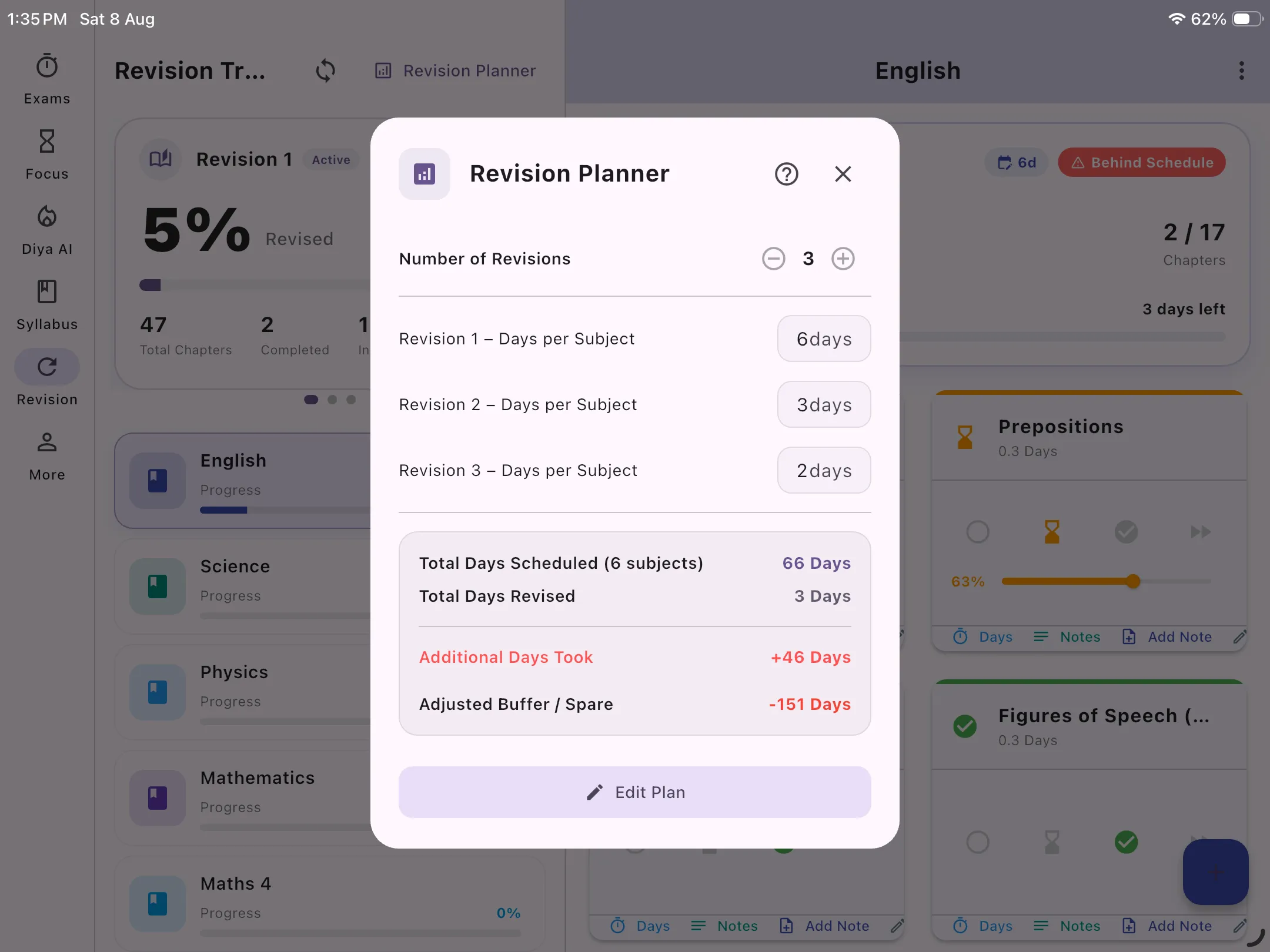
Tablet Preview: Multi-pass revision target configuration and timeline
From chapter tracking to buffer days calculation, take control of your study schedule.
Don't just study once. Schedule Revision 1, Revision 2, and Revision 3. Each cycle is tracked independently so you can ensure full syllabus coverage.
Tell the planner how long you want to spend on each pass. For example, 7 days for your first revision, and just 2 days for your final review before the exam.
The app automatically calculates your "buffer days" — the spare time you have between your planned revisions and the actual exam date.
Break subjects down. Mark individual chapters as 'Planned', 'In Progress', or 'Completed' for each specific revision cycle.
Are you falling behind? The app compares your chapter progress percentage against the time elapsed, showing you instantly if you are 'On Track', 'Behind', or 'Ahead'.
When you start Revision 2, you can look back at Revision 1 to see exactly how many days it took and where you struggled, allowing you to adapt.
The perfect GCSE revision planner. Track your progress across all subjects and papers effortlessly.
Manage massive module syllabuses and ensure you review every topic at least twice before exam week.
Ideal for tracking extensive revision cycles for demanding exams like the CPA, MCAT, or Bar.
Download the app, input your exam dates, and add your subjects. Then, go to the Revision tab to allocate how many days you want to spend revising each subject. The app acts as an automated revision planner template that adjusts as you go.
Yes! A paper blank revision timetable breaks the moment you miss a day. A digital learning planner automatically calculates remaining buffer days and updates your "On Track" or "Behind" status in real time.
Absolutely. It is designed specifically to handle multiple subjects simultaneously, making it ideal for GCSEs and A Levels where you have to balance several different syllabuses.
Yes, all core tracking and scheduling features in the revision timetable app are completely free to use on Android and Windows.